GitSwarm-EE 2017.1-1 Documentation
Enforce Two-factor Authentication (2FA)
Two-factor Authentication (2FA) provides an additional level of security to your users' GitSwarm account. Once enabled, in addition to supplying their username and password to login, they'll be prompted for a code generated by an application on their phone.
You can read more about it here: Two-factor Authentication (2FA)
Enabling 2FA
Users on GitSwarm, can enable it without any admin's intervention. If you want to enforce everyone to setup 2FA, you can choose from two different ways:
- Enforce on next login
- Suggest on next login, but allow a grace period before enforcing.
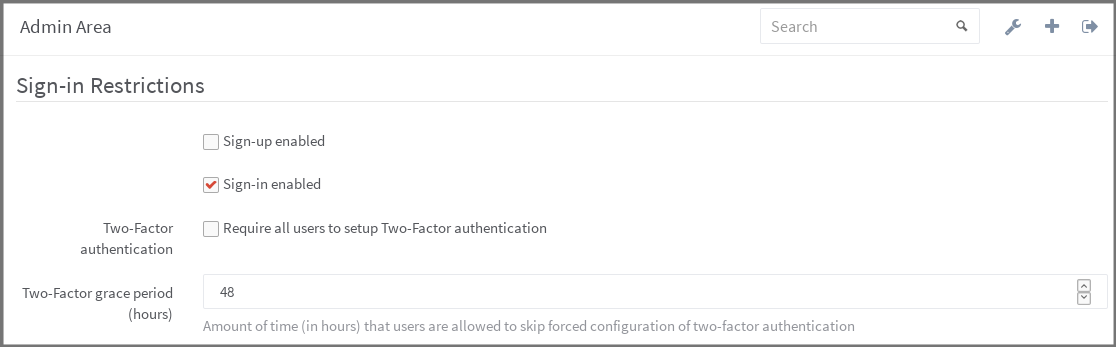
In the Admin area under Settings (/admin/application_settings), look for the "Sign-in Restrictions" area, where you can configure both.
If you want 2FA enforcement to take effect on next login, change the grace period to 0.
Disabling 2FA for everyone
There may be some special situations where you want to disable 2FA for everyone even when forced 2FA is disabled. There is a rake task for that:
# package installations
sudo gitswarm-rake gitswarm:two_factor:disable_for_all_users

# Source installations
sudo -u git -H bundle exec rake gitswarm:two_factor:disable_for_all_users RAILS_ENV=production
IMPORTANT: this is a permanent and irreversible action. Users will have to reactivate 2FA from scratch if they want to use it again.