GitSwarm-EE 2017.1-1 Documentation
Triggering Builds through the API
Introduced in GitSwarm CE 7.14.
Note: GitSwarm 2017.1 has a completely redesigned build permissions system. Read all about the new model and its implications.
Triggers can be used to force a rebuild of a specific branch, tag or commit, with an API call.
Add a trigger
You can add a new trigger by going to your project's Settings > Triggers. The Add trigger button will create a new token which you can then use to trigger a rebuild of this particular project.
Every new trigger you create, gets assigned a different token which you can then use inside your scripts or .gitlab-ci.yml. You also have a nice overview of the time the triggers were last used.
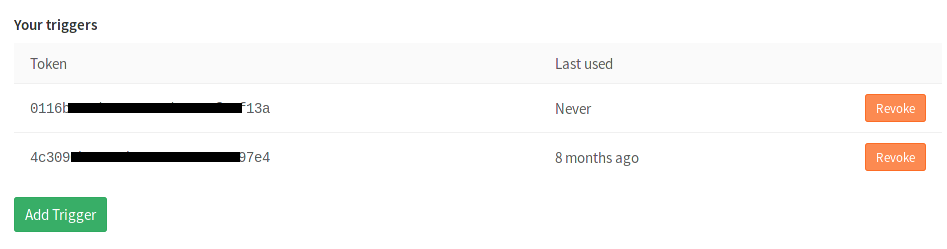
Revoke a trigger
You can revoke a trigger any time by going at your project's Settings > Triggers and hitting the Revoke button. The action is irreversible.
Trigger a build
To trigger a build you need to send a POST request to GitSwarm's API endpoint:
POST /projects/:id/trigger/buildsThe required parameters are the trigger's token and the Git ref on which the trigger will be performed. Valid refs are the branch, the tag or the commit SHA. The :id of a project can be found by querying the API or by visiting the Triggers page which provides self-explanatory examples.
When a rebuild is triggered, the information is exposed in GitSwarm's UI under the Builds page and the builds are marked as triggered.
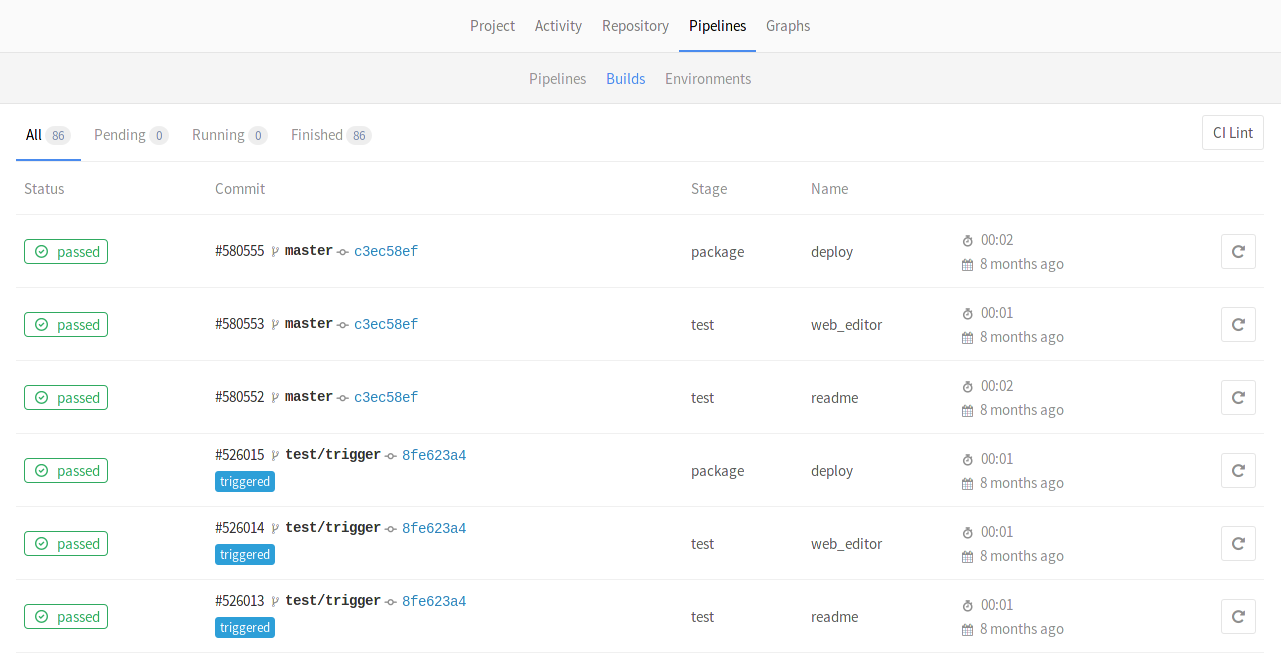
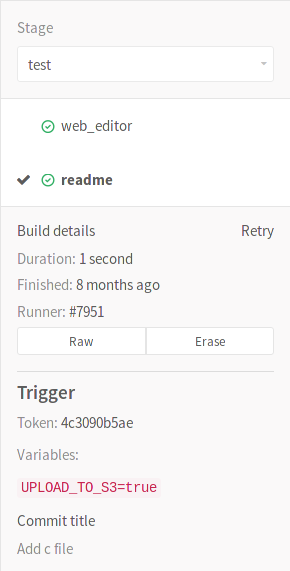
You can see which trigger caused the rebuild by visiting the single build page. The token of the trigger is exposed in the UI as you can see from the image below.
See the Examples section for more details on how to actually trigger a rebuild.
Trigger a build from webhook
Introduced in GitSwarm 2017.1.
To trigger a build from webhook of another project you need to add the following webhook url for Push and Tag push events:
https://gitswarm.example.com/api/v3/projects/:id/ref/:ref/trigger/builds?token=TOKENNote:
refshould be passed as part of url in order to take precedence overreffrom webhook body that designates the branchref that fired the trigger in the source repository.refshould be url encoded if contains slashes.
Pass build variables to a trigger
You can pass any number of arbitrary variables in the trigger API call and they will be available in GitLab CI so that they can be used in your .gitlab-ci.yml file. The parameter is of the form:
variables[key]=valueThis information is also exposed in the UI.
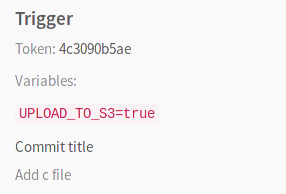
See the Examples section below for more details.
Examples
Using cURL you can trigger a rebuild with minimal effort, for example:
curl --request POST \
     --form token=TOKEN \
     --form ref=master \
     https://gitswarm.example.com/api/v3/projects/9/trigger/builds
In this case, the project with ID 9 will get rebuilt on master branch.
Alternatively, you can pass the token and ref arguments in the query string:
curl --request POST \
    "https://gitswarm.example.com/api/v3/projects/9/trigger/builds?token=TOKEN&ref=master"
Triggering a build within .gitlab-ci.yml
You can also benefit by using triggers in your .gitlab-ci.yml. Let's say that you have two projects, A and B, and you want to trigger a rebuild on the master branch of project B whenever a tag on project A is created. This is the job you need to add in project's A .gitlab-ci.yml:
build_docs:
  stage: deploy
  script:
  - "curl --request POST --form token=TOKEN --form ref=master https://gitswarm.example.com/api/v3/projects/9/trigger/builds"
  only:
  - tags
Now, whenever a new tag is pushed on project A, the build will run and the build_docs job will be executed, triggering a rebuild of project B. The stage: deploy ensures that this job will run only after all jobs with stage: test complete successfully.
Note: If your project is public, passing the token in plain text is probably not the wisest idea, so you might want to use a secure variable for that purpose.
Making use of trigger variables
Using trigger variables can be proven useful for a variety of reasons.
- Identifiable jobs. Since the variable is exposed in the UI you can know why the rebuild was triggered if you pass a variable that explains the purpose.
- Conditional job processing. You can have conditional jobs that run whenever a certain variable is present.
Consider the following .gitlab-ci.yml where we set three stages and the upload_package job is run only when all jobs from the test and build stages pass. When the UPLOAD_TO_S3 variable is non-zero, make upload is run.
stages:
- test
- build
- package

run_tests:
  script:
  - make test

build_package:
  stage: build
  script:
  - make build

upload_package:
  stage: package
  script:
  - if [ -n "${UPLOAD_TO_S3}" ]; then make upload; fi
You can then trigger a rebuild while you pass the UPLOAD_TO_S3 variable and the script of the upload_package job will run:
curl --request POST \
  --form token=TOKEN \
  --form ref=master \
  --form "variables[UPLOAD_TO_S3]=true" \
  https://gitswarm.example.com/api/v3/projects/9/trigger/builds
Using webhook to trigger builds
You can add the following webhook to another project in order to trigger a build:
https://gitswarm.example.com/api/v3/projects/9/ref/master/trigger/builds?token=TOKEN&variables[UPLOAD_TO_S3]=trueUsing cron to trigger nightly builds
Whether you craft a script or just run cURL directly, you can trigger builds in conjunction with cron. The example below triggers a build on the master branch of project with ID 9 every night at 00:30:
30 0 * * * curl --request POST --form token=TOKEN --form ref=master https://gitswarm.example.com/api/v3/projects/9/trigger/builds