GitSwarm-EE 2017.1-1 Documentation
GitSwarm Configuration
GitSwarm Performance Monitoring is disabled by default. To enable it and change any of its settings, navigate to the Admin area in Settings > Metrics (/admin/application_settings).
The minimum required settings you need to set are the InfluxDB host and port. Make sure Enable InfluxDB Metrics is checked and hit Save to save the changes.
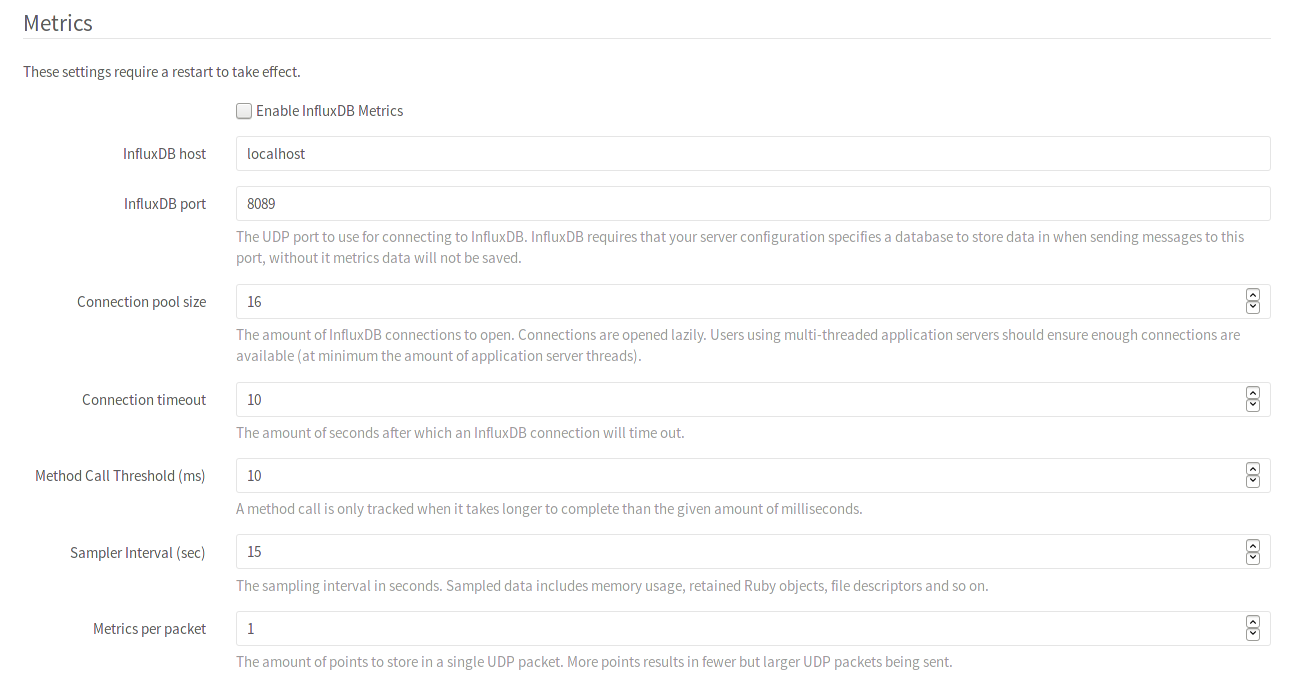
Finally, a restart of all GitSwarm processes is required for the changes to take effect:
# For package installations
sudo gitswarm-ctl restart

# For source installations
sudo service gitlab restart
Pending Migrations
When any migrations are pending, the metrics are disabled until the migrations have been performed.
Read more on: